Lightning-Fast Search
Find any bookmark in milliseconds. Our optimized search engine instantly filters through your entire collection as you type with zero lag.
Tired of digging through endless nested folders? Instantly search, navigate, and open your bookmarks with a sleek, fast interface. The ultimate bookmark manager designed for speed, productivity, and elegance.
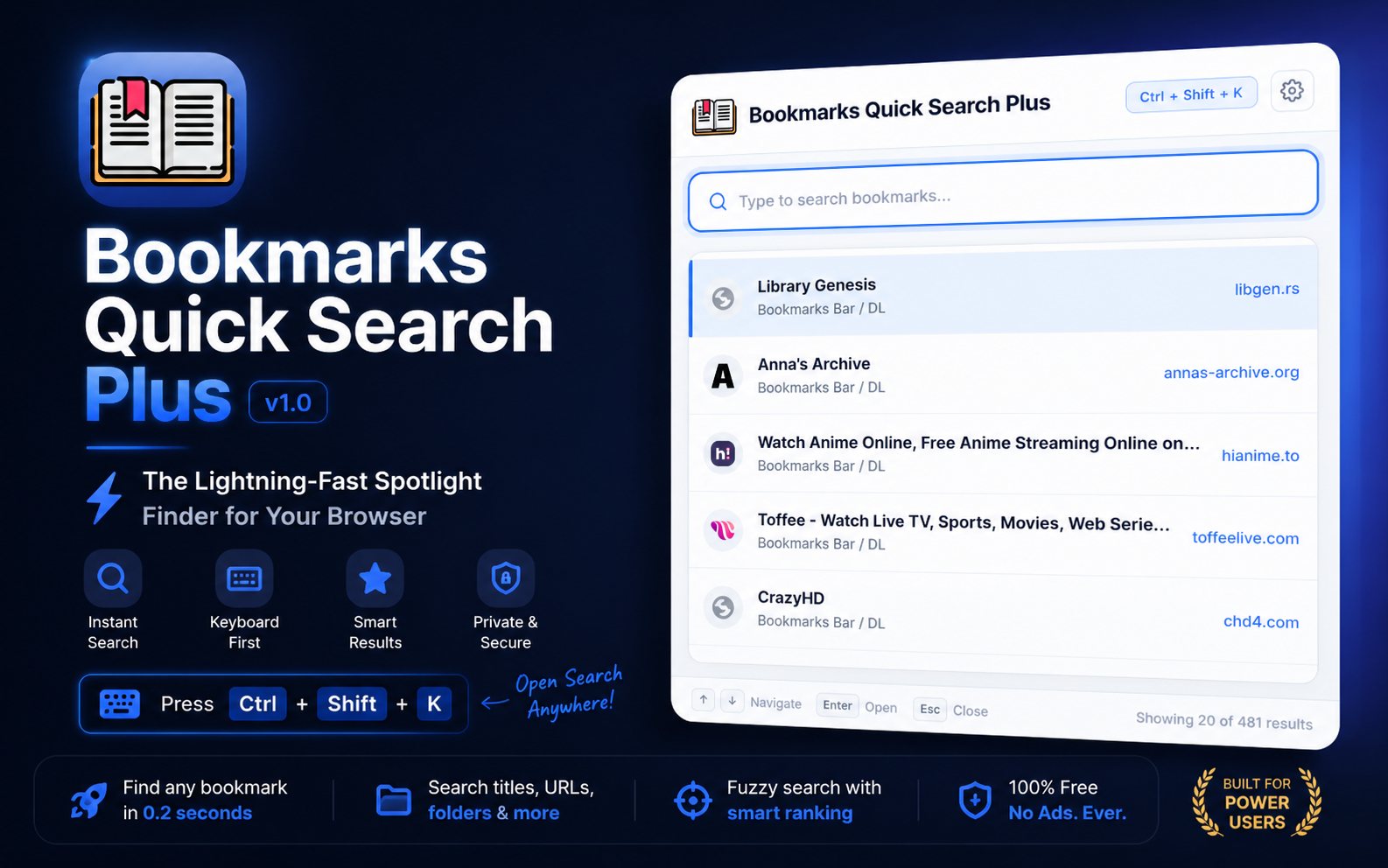
Invoke the search panel from anywhere and find bookmarks as you type with fuzzy matching.
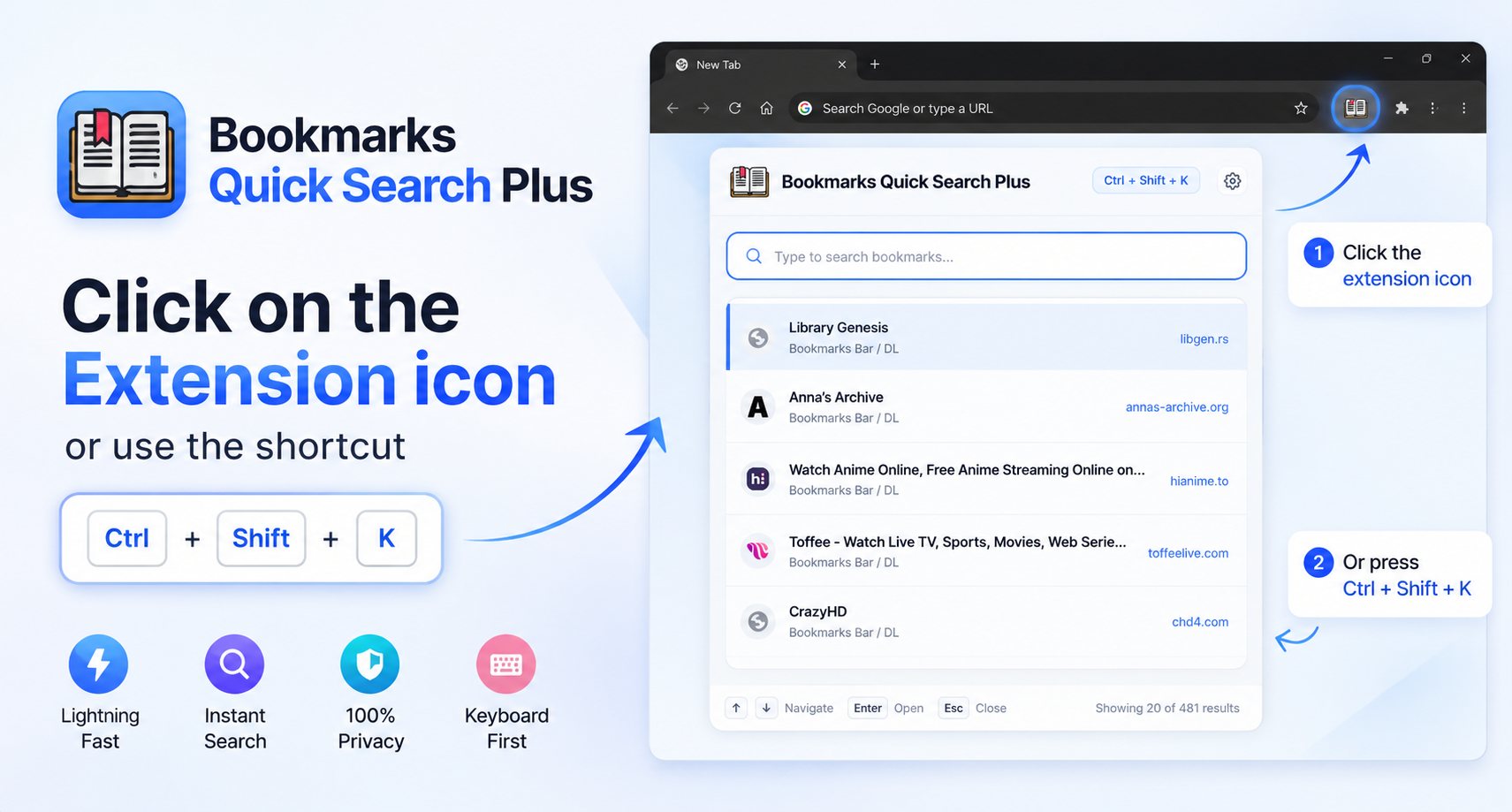
Open the extension instantly with a customizable keyboard shortcut, even from a new tab.
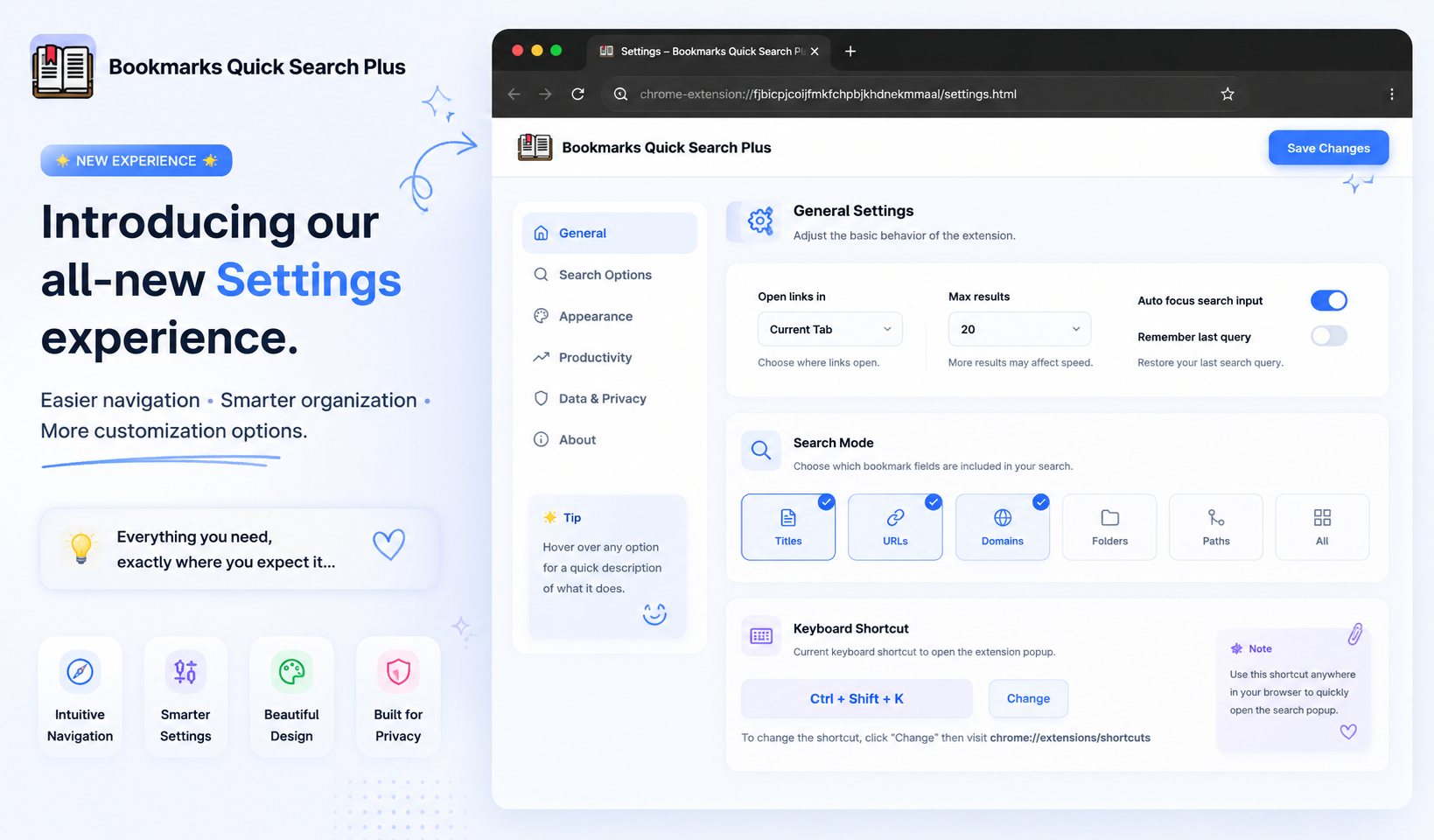
Choose how bookmarks open, adjust result limits, switch themes, and fine-tune search behavior.
Find any bookmark in milliseconds. Our optimized search engine instantly filters through your entire collection as you type with zero lag.
Designed for maximum productivity. Open the search bar from any tab using the default global shortcut, use your arrow keys, and hit Enter.
A sleek, premium design that feels native to your browser. Enjoy smooth animations, clear typography, and a clutter-free experience.
Choose the aesthetic that matches your workflow. Seamlessly supports beautiful built-in Light and Dark themes to reduce eye strain.
Easily identify your saved websites at a glance. Securely loads high-resolution website icons right next to your search results.
Choose how bookmarks open, adjust the maximum number of search results displayed, toggle automatic focus, and remember your last search query.
100% local, offline-first. No data collection, no network requests to third-party servers, and no account sign-up required.
A clean, focused experience without invasive ads or unnecessary background processes. Everything runs securely on your own machine.
You can customize the shortcut anytime from chrome://extensions/shortcuts.
Bookmarks Quick Search Plus respects your privacy. We do not collect, store, or transmit any personal information, browsing history, or bookmark content. Read the full Bookmarks Quick Search Plus Privacy Policy.
Everything runs entirely offline on your local machine. There are no analytics trackers, no third-party services, and no remote servers involved.
Added folder path display, improved arrow-key navigation, and fixed focus handling on macOS.
Better ranking algorithm and support for partial URL matching.
First public release on the Chrome Web Store.
We read every message. Choose the fastest way to reach us or get the extension.